FUND TRANSFER
How to add money to the Adroit account using UPI?
Transfer funds instantly from the registered bank account using UPI for free. All UPI
transfers must be initiated with this below mentioned method.
You can now make payments using UPI for your Trading account:
Trading Account: adroitfinancialservices.brk@validhdfc
|

In case of deposits into HDFC Bank, the trading limit will be automatically allocated once we receive the payment in our bank account.
For Auto limit allocation through AXIS bank Transfer
Kindly use the following IFSC code and account number format while transferring funds to *Adroit’s Axis Bank account* via NEFT or RTGS.
This will ensure your trading limit is updated automatically, and you will not be required to send a payment screenshot via email.
ADROIT FINANCIAL SERVICES (P) LTD.
|
S.NO |
NAME OF BANK |
Name of the Branch |
Bank A/C NO |
TYPE OF A/C |
IFSC CODE |
|
1. |
HDFC BANK |
K.G. Marg Connaught Place New Delhi. |
00030340009994 |
USCNBA/C |
HDFC0000003 |
The time taken for the funds to be updated depends on the mode of fund transfer.
|
Method |
Time taken |
Charges |
|
UPI |
Instant |
Free |
|
Online Net Banking (IMPS) |
Within 10 minutes |
Free |
|
By visiting Bank NEFT/RTGS |
Within 3 - 4 hours |
Free at Adroit financial, bank charges may apply |
|
Online Net banking (NEFT/RTGS) |
Within 3 - 4 hours |
Free at Adroit Financial, bank charges may apply |
|
Cheque |
3 to 5 working days |
Free |
- #Limit Allocation
Once the funds are received in the HDFC & AXIS bank (through above described method) , the trading limit will be automatically updated.
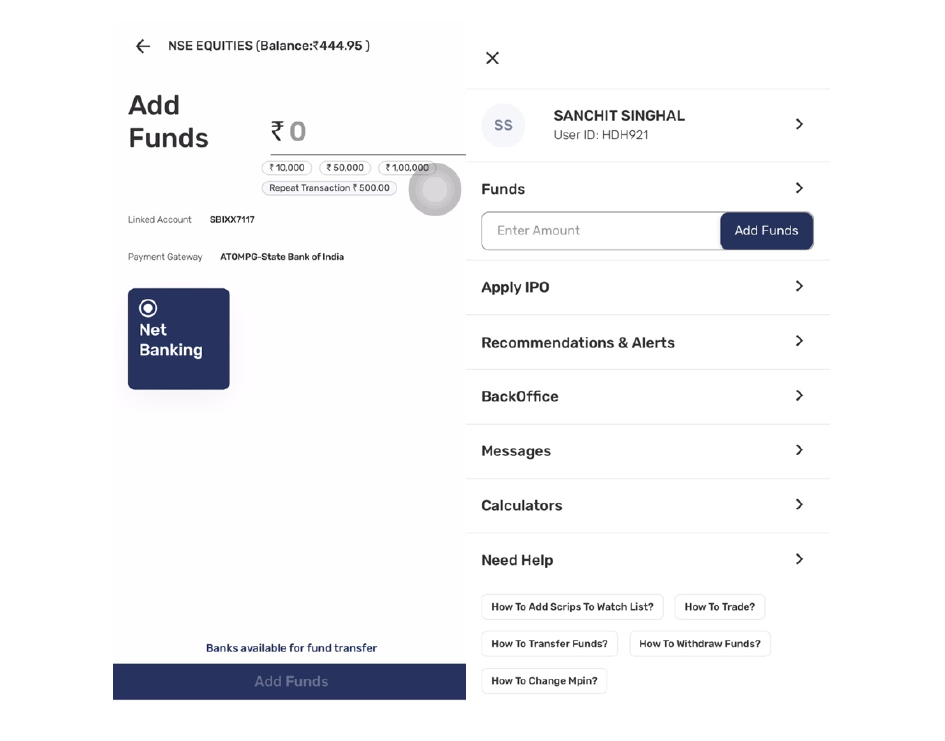
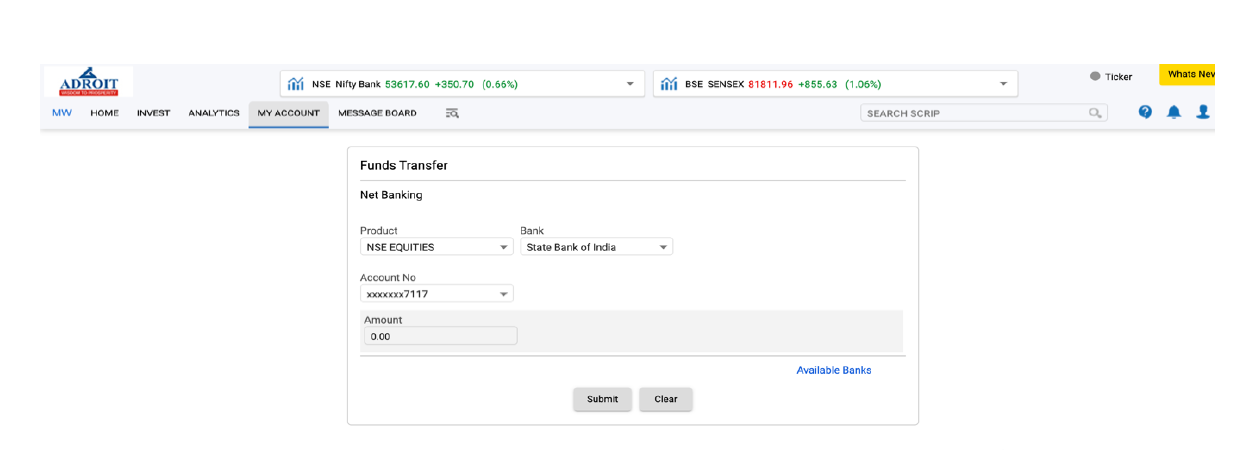 How to Add Funds via Tradewhiz or AERO
1.Open the Application: Launch the Tradewhiz ApplicaAon or log in through the web trading app AERO.
2. Navigate to Funds: Locate and click on the Funds secAon.
3. Enter Fund Amount: Specify the amount you wish to add.
4. Add Funds: Click on Add Funds.
5. Net Banking Option: The system will automaAcally redirect to the Net Banking page.
6. Login to Net Banking: Enter your credenAals and complete the payment process.
7. Payment Mode Selection: Choose one of the following payment modes:
1.IMPS for instant transfers.
2.NEFT or RTGS, which may take a lible longer.
|
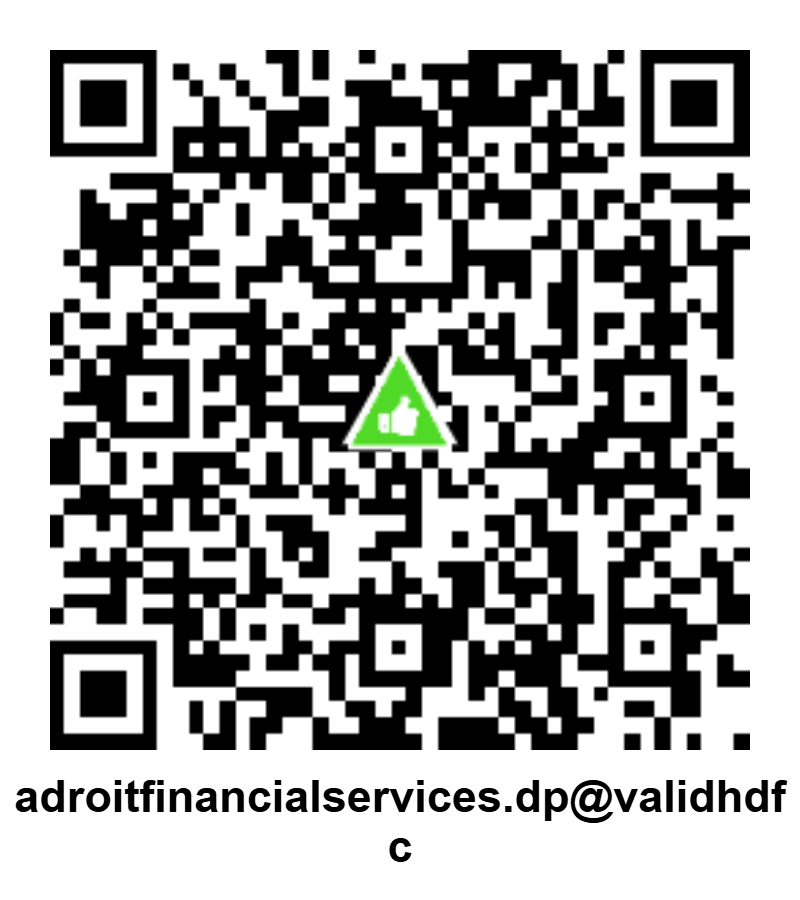
Demat Account (DP): adroitfinancialservices.dp@validhdfc
|
Research Analyst Payment from Client
|
S.NO |
Account_No |
IFSC |
Legal_Ac_Holder_Name | Legal_Ac_Holder_Pan |
Full_UPI_Id |
|
1. |
57500001898787 |
HDFC0000003 |
ADROIT FINANCIAL SERVICES PVT. LTD. |
AABCA1156D |
adroitfinancialservicespvtltd. |
adroitfinancialservicespvtltd.ra.brk@validhdfc